ManageBac Tutorials
Below are some ManageBac tutorials to help you get started.
For more information:
-
Check out ManageBac Parent support page
-
Contact ISB IT for support. it@isbusan.org
Accessing and updating your profile
It is very important that we have accurate contact details for everyone using ManageBac.
-
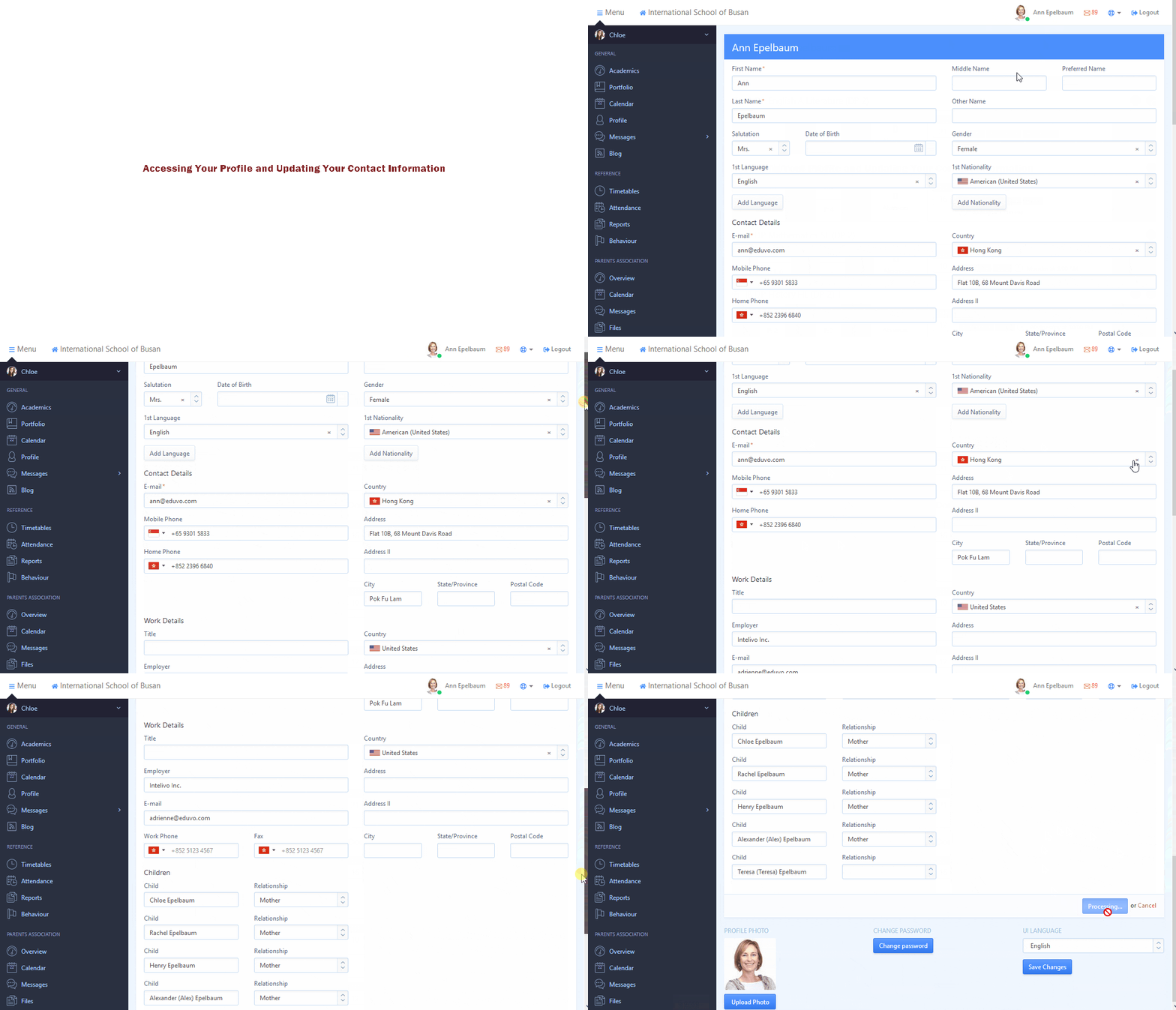
To access your profile and personal details, click on the link with your name and picture towards the top right of the screen.
-
Once you’ve clicked through to your profile, you can update a variety of details.
-
Please double-check to see that your contact information is correct and up-to-date.
Parents - Accessing your children’s information
-
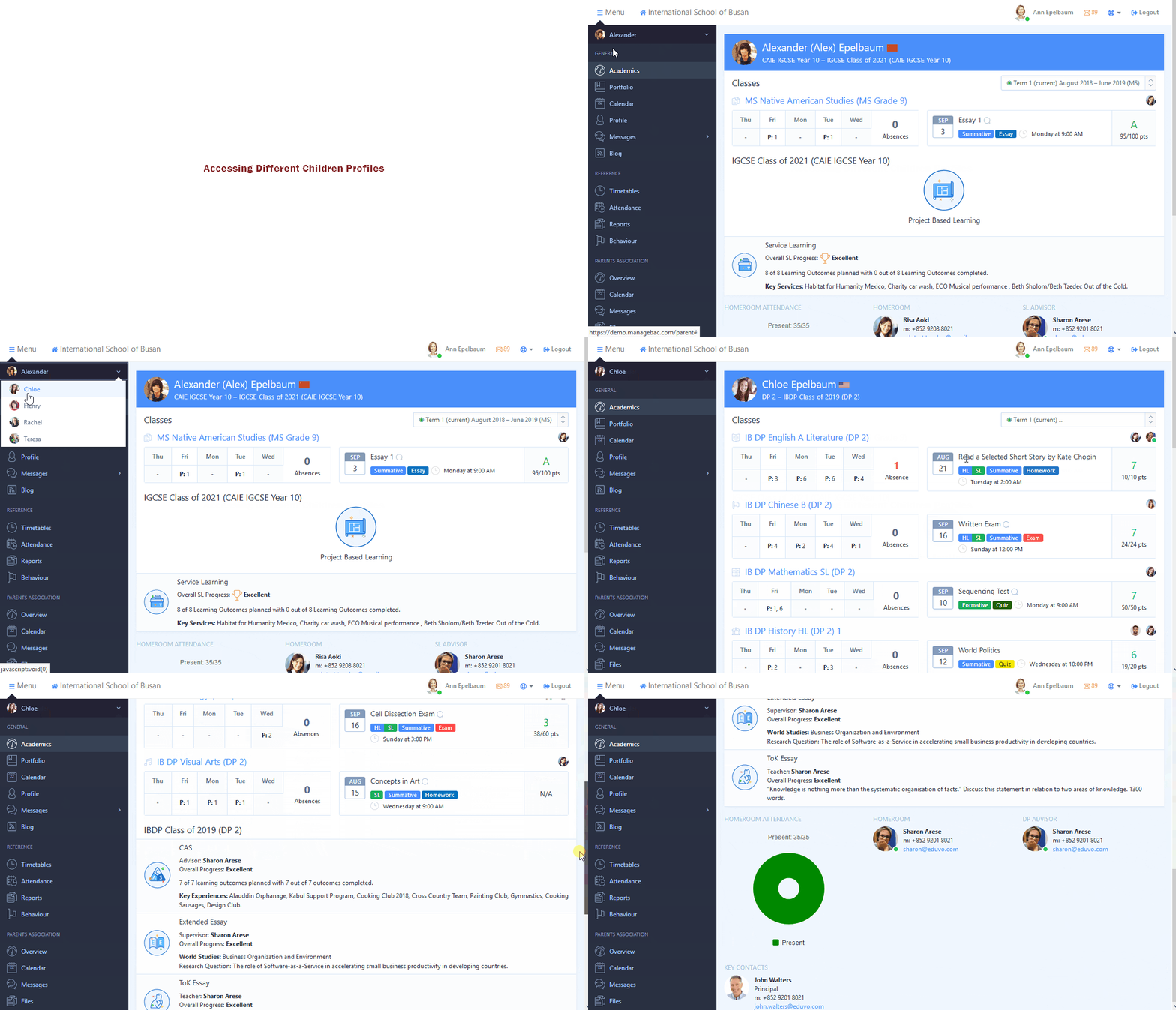
If you have more than one child at our school, you can choose which one to view by clicking on the drop-down menu towards the top left of the screen.
-
Once selected, all of their upcoming events or deadlines, latest activity, and key contacts will be displayed.
-
Click on any assignment for further details.